









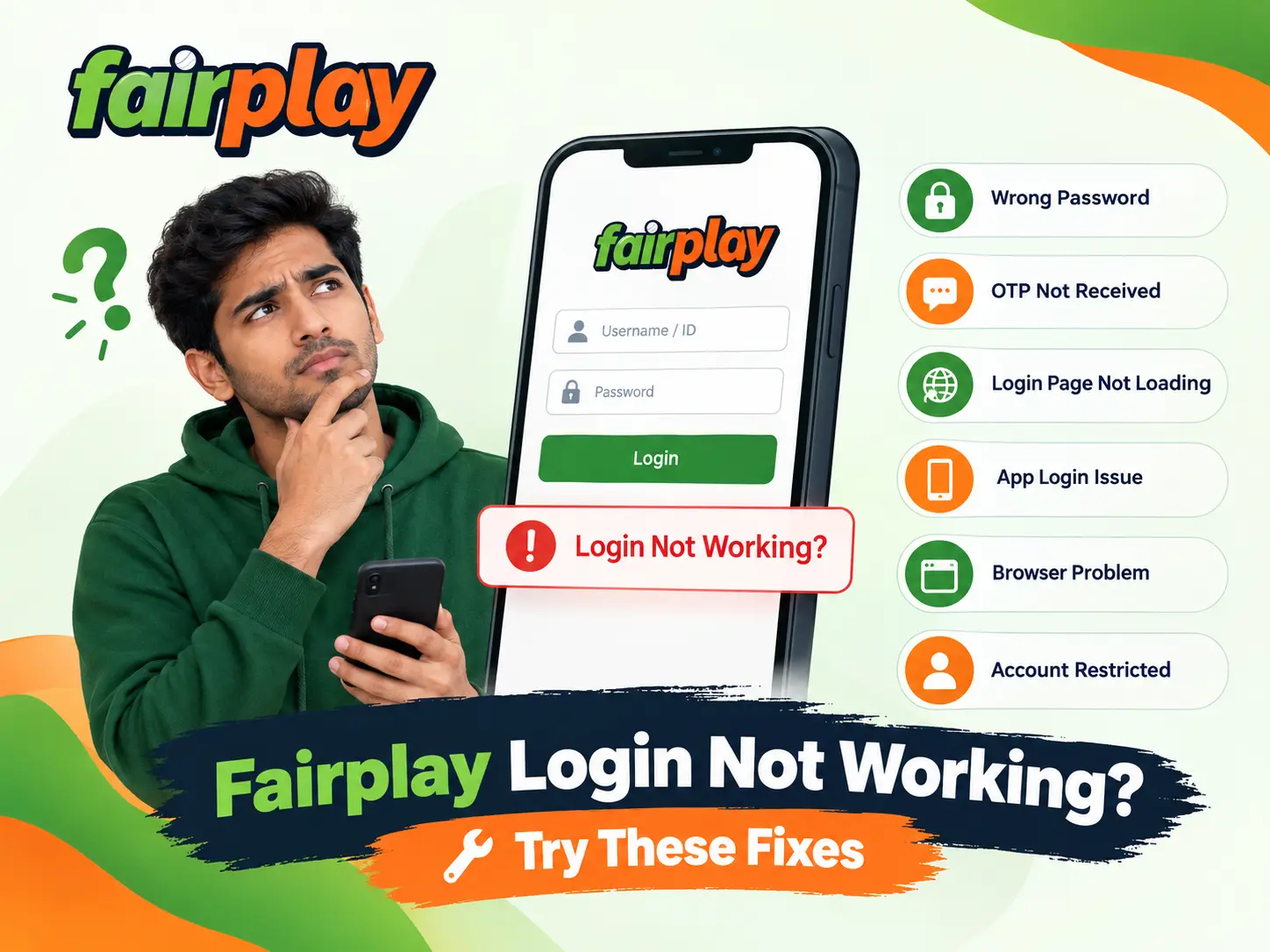
Having trouble logging into Fairplay can be frustrating. You might face this issue if you get stuck on the login page, if the system denies your password, or if you don’t receive the one-time password. But the great thing about a login issue is that it does not immediately show that there is a problem with your account.
Different reasons can lead to the same issue. You might have mistyped the password. You could have an expired OTP. Maybe your internet connection is faulty. Your browser cache might be outdated, or the app may need an update.
The most important thing here is to find out precisely where the login was not being successful. That way you would get straight to the point of the problem, instead of trying out various changes without knowing the reason.
Quick Fix: First things first, What To Check?
In case, Fairplay login is not working, start by doing these:
- Ensure that you are accessing the login page from the correct source.
- Recheck your registered login details.
- Make sure the internet connection is working properly.
- Confirm whether you receive the OTP at your registered contact method (phone, email, etc.).
- Refresh the web page; if that doesn’t work, open it in a private browsing window of your browser.
- If it comes via smartphone mobile app, turn it off and launch again.
- Search online for your browser or apps’ latest updates and if necessary install them.
- Stop attempting login or getting OTPs after it has failed a few times consecutively.
- In such cases where the problem continues not getting resolved, you can go to the account-support or recovery option suggested on-screen.
In case of doubt over the sign-in process, refer to the [Fairplay login guide]. This will have the general steps to follow before fixing a particular issue
Your password, OTP, recovery code, and other confidential account data should be kept private and not shared with any one else.
Why Is Fairplay Login Not Working?
There is no single reason for every login failure. The problem depends on the stage at which access stops.
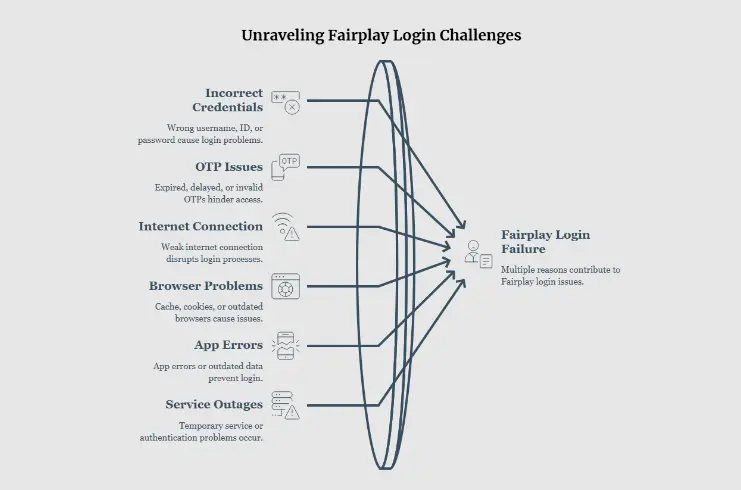
Common causes include:
- Incorrect username, ID, or password
- Expired or invalid OTP
- OTP delivery delay
- Weak internet connection
- Browser cache or cookie problems
- Outdated browser
- App errors or outdated app data
- Temporary service or authentication problems
- Too many unsuccessful login attempts
- A problem with the registered mobile number
- A temporary account-security restriction
Instead of repeatedly entering the same details, first identify the exact error.
1. Fairplay Login Page Is Not Opening
If the login page is not loading, the issue might be because your internet connection, browser, device, or the service has some problem.
To overcome that, do the following things:
- Try one click to refresh the web page.
- Go to another site (a reliable one) to see if your connection is active.
- If you can, toggle from Wi-Fi to mobile data.
- Close and open browser.
- Use a temporary or an incognito browsing session from the same browser.
- Verify your browser’s version.
- We recommend you take your device through power off and then power on steps.
Check if other websites fail as well, the most important thing is to get your internet to run correctly.
On the other hand, if the Fairplay login page is still not working but other sites are opening fine, then most likely a browser-related, connection, or service issue is the cause that needs fixing.
Please refrain from clicking on strange links sent via various social media sites or in messaging groups because those can be malicious. You always want to verify the site or app where you will be inputting login details by the way you normally do it.
2. Your password for Fairplay will not accept
It is not always correct to lock an account due to a mismatch between the typed password and the correct one.
First of all, double-check the password you entered to make sure it is right.
Check for:
- Incorrect capital letters
- Extra spaces
- Keyboard autocorrect
- A recently changed password
- An old password saved by the browser
- A copied password containing unwanted characters
If you’re not certain about the password, try the option of a password recovery rather than making many guesses. If you also need help with the password recovery process, the [Fairplay password reset guide] would explain it in an understandable way.
Repeating your attempts that don’t work might actually make the password recovery harder, especially when additional security checks are activated.
If it’s possible that your last password has changed, you are to delete the old login details stored in your browser and on your password manager. Then, try again.
3. Fairplay OTP Is Not Arriving
OTP verification issues may occur when the message is delayed or when the registered contact method has the capacity but cannot receive it.
- While you are waiting for an OTP:
- First of all, make sure that the mobile number entered is correct.
- Second, ensure that there is no signal loss or problem in mobile coverage at the location.
- Third, your phone can receive the standard or ordinary SMS messages.
- Last but not least, you probably need to check if there are any settings or rules to block-message or spam messages.
- Wait before requesting another OTP.
- Use the newest OTP if multiple messages eventually arrive.
Avoid pressing Resend OTP repeatedly.
A newer verification code may invalidate an earlier one. If several codes arrive together, use the latest valid code requested from the current login session.
If you recently changed your mobile number, do not assume that the new number is automatically linked to your account. Use the available account-recovery or support process instead.
Never Share Your OTP
Your OTP is a private security code.
Do not give it to:
- Unknown callers
- Unsolicited WhatsApp contacts
- Telegram users
- People claiming to be account agents
- Anyone offering to “activate” or “unlock” your account
A person asking for your live OTP should be treated cautiously.
For additional information about protecting account details, you can also review the [Fairplay security and privacy guide].
4. OTP Arrives but Is Rejected
If you receive an OTP but it does not work, the code may have expired or another OTP may have replaced it.
Try this:
- Return to the current login screen.
- Request one new OTP.
- Wait for it to arrive.
- Enter the newest code carefully.
- Avoid using an older code from a previous request.
If the newest OTP is repeatedly rejected, stop requesting additional codes. Record the error and use the available account-support option.
5. Fairplay Login Keeps Loading
Sometimes the login page opens but does not move to the next step.
This can happen because of:
- Browser cache
- Cookies
- Unstable internet
- A blocked script
- Outdated browser software
- An interrupted previous session
- Temporary authentication problems
Try to open the login page by launching a new private or incognito window. If the login page opens normally that way, this implies that your default browser probably has an out-of-date cache for the site or a browser extension, for example, that’s preventing a smooth login. Clear that website related data in the normal browser and give it another go.
There is no need to disable security settings for every website just to make one login page work.
6. Fairplay App Login Is Not Working
If the website works but the mobile app does not, the problem may be related to the application or the device.
Start with the simple fixes:
- Close the app completely.
- Restart the app.
- Restart your phone.
- Check your internet connection.
- Check whether an app update is available from a trusted source.
- Check available phone storage.
Try clearing the application cache from your device if it has the provision.
If you are about to clear app data or are going to reinstall an app, it is good to confirm that you are aware of the login details you will be needing for your account.
Handling APK Files with Care
Don’t download and install the APK from an unknown source via chat apps such as WhatsApp/Telegram or through a random file-sharing website or download page just because the normal app has stopped working.
It is not only the unauthorized app that will be installed but also, such a modified app may pose a threat to your device’s security as well.
If you’re thinking of getting an app, make sure it’s coming from a legitimate source that connects to the service or a regular app distribution platform available for your mobile device.
7. Why is Fairplay Login Working in My Browser and Not in Another
This method helps you recognize a browser-based issue.
Below is the way to identify
Browser A fails + Browser B works
This points more strongly toward a browser setting, extension, cookie, or cached-data problem.
Try:
- Clearing site-specific cookies
- Opening a private window
- Updating the browser
- Disabling problematic extensions temporarily
- Restarting the browser
You do not need to change every browser setting at once.
Test one change at a time so you can identify what actually fixed the problem.
8. Login Fails on Both App and Browser
If the login fails on different browsers and devices, the problem may not be limited to your phone.
Before trying repeatedly, check:
- Whether your login details are correct
- Whether OTP delivery is working
- Whether your registered contact method is accessible
- Whether the service is temporarily unavailable
- Whether account recovery is required
If everything appears correct but access still fails, use the account-recovery or support method available through the service.
If the issue involves account settings rather than the login itself, the [Fairplay account management guide] may also help you identify the relevant account option.
When contacting support, describe the exact point where login stops.
For example:
“The login page opens, but the OTP is rejected.”
This is more useful than simply saying:
“My account is not working.”
9. Fairplay Login Says Your Account Is Restricted
If you see a message indicating that access is restricted, paused, locked, or otherwise unavailable, do not try to bypass it with another account or an unofficial login link.
The restriction may require account verification or support assistance.
Record:
- The exact message
- Approximate time of the error
- Device being used
- Browser or app version
- Whether the problem happens on another connection
Then use the appropriate account-support process.
Never provide your password or active OTP when reporting the problem.
What If Fairplay Login Fails During a Payment?
A login problem can become more confusing when it happens while checking a deposit, withdrawal, or other account activity.
- Turn to the right account-support procedure for help.
- Never give your password or OTP during the account problem resolution process.
- What Happens If I Can’t Fairplay Login While Making a Payment?
A login issue can get more complicated if it comes up during a bank deposit check, bank withdrawal, or account activity check.
In the case of a payment, if the problem occurred at that time, don’t retry the transaction right away.
Make sure to log into your account and review the history of transactions that were involved.
If you’ve already paid and the money has left your account, then it is important to retain a record of the transaction or payment confirmation.
An account login problem doesn’t necessarily indicate that a payment went wrong or not completed.
The payment could be:
- Completed
- Pending
- Rejected
- Not submitted
- Awaiting account confirmation
If a payment continues to show as pending after you have recovered your access, please consult the [Fairplay payment pending guide] instead of submitting the same transaction again without checking its status.
What Information Should You Give Support?
In case a simple problem-solving technique is ineffective in tackling the problem, you need to provide enough data to the support team to figure out what went wrong.
Useful information includes:
- Your account ID or username, where appropriate
- The type of device being used
- Operating system
- Browser or app version
- Type of internet connection
- Exact error message
- Approximate time the problem occurred
- Whether OTP was received
- Whether the problem occurs on another browser or device
If you send a screenshot, hide:
- Passwords
- OTPs
- Payment credentials
- Card information
- Other sensitive personal information
The goal is to explain the problem without exposing your account security details.
What Not to Do When Fairplay Login Is Not Working
Some actions can make an access problem worse.
Avoid:
- Repeatedly guessing your password
- Requesting many OTPs in a short period
- Sharing OTPs with another person
- Giving your password to an agent
- Installing unknown APK files
- Using suspicious login links
- Creating another account simply to bypass an access problem
- Repeating a payment before checking the first transaction
- Disabling important device security settings
A few minutes spent identifying the actual problem is usually better than repeatedly trying random fixes.
Fairplay Login Troubleshooting Table
| Login problem | Possible reason | What to try |
| Login page will not open | Connection or browser problem | Check internet and try another browser |
| Password rejected | Incorrect or outdated password | Re-enter carefully or use recovery |
| OTP not received | Network or delivery delay | Check registered number and wait |
| OTP rejected | Expired or replaced code | Request one new OTP and use the latest |
| Login keeps loading | Cookies, cache, browser or connection | Try private browsing |
| App will not log in | App or device issue | Restart, update or clear cache |
| Login fails everywhere | Account or service-side issue | Stop repeated attempts and seek support |
| Account appears restricted | Security or account review | Use the appropriate support process |
Preventing Future Login Problems
Adopting a few small habits can help to eliminate the need to repeat login steps.
Keep Your Default Contact Details Updated and Valid
The contact method of your account should have access to get the verification messages anytime they are sent.
Browser Compatibility Check
Aged browser versions could be a source for the page or authentication errors.
Mobile App Security
If you install an app, make sure only to source the updates from places you trust.
Passphrase Policy “Don’t Repeat the Old”
Don’t use passwords repeatedly at different sites.
In addition, password manager software might save you from the trouble of entering old passwords.
Bookmark the Correct Website
If you usually use a browser to login to your account, rather than going for forwarded links, you should keep the trusted login page.
Stay away from sharing your login on public or unsecure computers.
Do not store account credentials on shared or unknown devices.
FAQs
Why isn’t my Fairplay login working?
Maybe you have entered your login credentials incorrectly / the OTP code has expired / the network connection is down / a problem with a browser is the reason for the failed login / the app is faulty or a brief authentication error. First figure out when the login issue occurs and after that try out various ways of fixing it.
Why have I not been sent my Fairplay OTP?
The first step is to confirm that your mobile number is registered correctly and your phone reception is good enough. Another thing to look into is spam or messages from the service provider that may have been blocked. Furthermore, do not be tempted to keep requesting new OTPs again and again.
My Fairplay password is being rejected. What should I do?
Firstly, type in your right password and then double-check there are no typos or errors in password saving from your browser. If you are having trouble confirming your password, the best solution is to recover it using the given method of resetting/recovery instead of continuing to guess.
Why does Fairplay login keep loading?
A slow connection, browser cache, cookies, extensions, or temporary authentication problems can cause the login page to remain stuck. Try refreshing the page or using a private browser window.
What should I do if the Fairplay app login does not work?
Close and restart the application, check your connection, restart your device, and check for an update from a trusted source. You can also test the browser version to determine whether the issue is limited to the app.
Should I keep requesting OTPs if the first one does not arrive?
No. Repeated requests can make earlier codes invalid or create confusion about which code is current. Wait briefly and request a new code only when necessary.
Can I share my OTP with Fairplay support?
Do not share a live OTP or password with someone who contacts you unexpectedly. Use the service’s normal support or recovery process and follow its account-verification instructions.
What if login fails on every device?
If your credentials, OTP, and internet connection are fine but you can’t log in on other devices or browsers, you may need help with your account or the service. Record the error and use the available support option.
Final Takeaway
If the Fairplay login continues to be a problem, you may be tempted to try everything at once, but resist that.
Start by understanding the underlying issue:
Is it not working because the page is not loading? Is it possibly the wrong password? Is OTP not received? Is the app causing issues, or is the account being blocked?
Knowing up to which part of the login the process halts would make the solution of the right one much easier.
Firstly, make sure your internet is working fine and login information is correct. If there isOTP problem then verify your mobile/email number and try not to request it multiple times For browser problems, try private browsing or another updated browser. For app problems, restart and update the application from a trusted source.
If the problem keeps happening on different devices or browsers, stop trying repeatedly. Instead, use the right account-recovery or support process.
Keep your password and OTP private. Don’t use unknown links or unofficial apps, even if normal login is down.